Mastering React Hooks: A Comprehensive Guide to Streamlining Your Component Magic[Part-I]
![Mastering React Hooks: A Comprehensive Guide to Streamlining Your Component Magic[Part-I]](/_next/image?url=https%3A%2F%2Fcdn.hashnode.com%2Fres%2Fhashnode%2Fimage%2Fupload%2Fv1746166401925%2F12f2eb06-ba79-4337-9fc8-b5d93389ea08.webp&w=3840&q=75)
Product Development as an Expertise Since 2015 Founded in August 2015, we are a USA-based Bespoke Engineering Studio providing Product Development as an Expertise. With 80+ satisfied clients worldwide, we serve startups and enterprises across San Francisco, Seattle, New York, London, Pune, Bangalore, Tokyo and other prominent technology hubs.
Introduction
Hooks were added to React in the 16.8 version. Hooks allow us to access the state in the functional component and other features of the Hooks.
Hook allows us to “hook” into the React features like state and lifecycle methods. Let’s Explore the different types of Hooks.
1. useState()
useState() is a function used to declare the state in the Functional components, It takes the initial state as an argument and returns the array with two elements.
We can’t use the useState()inside conditional statements(if, switch, etc), functions, or loops.
Let us see how to use useState()an Example
import React, { useState } from 'react';

function Counter() {
 // initialize the state
 const [countValue, setCountValue] = useState(0);

 // to increment the count value
 const incrementCount = () => {
  setCountValue(countValue + 1);
 };

 // to decrement the count value
 const decrementCount = () => {
  countValue > 0 ? setCountValue(countValue - 1) : null;
  // when you want to decrement countValue with based on the previous value use the
  // callback function in the setCountValue
  // setCountValue((prevCountValue) => {
  //  prevCountValue - 1;
  // });
  // countValue = 2
  setCountValue(countValue - 1);
  setCountValue(countValue - 1);
  // output : 1
 };
 return (
  <div style={{ display: 'flex', alignItems: 'center', gap: '24px' }}>
   <button
    style={{ backgroundColor: 'red', color: 'white', fontSize: '18px' }}
    onClick={decrementCount}>
    -
   </button>
   <p style={{ color: '#000', fontSize: '24px', fontWeight: 700 }}>
    {countValue}
   </p>
   <button
    onClick={incrementCount}
    style={{ backgroundColor: 'green', color: 'white', fontSize: '18px' }}>
    +
   </button>
  </div>
 );
}

export default Counter;
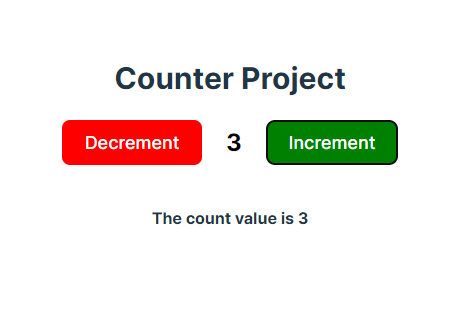
2. useEffect()
useEffect() is a hook in React, that allows you to perform side effects in your functional components. Side effects can include things like data fetching, subscriptions, manual DOM manipulations, and more. The useEffect hook is used to manage these side effects in a way that is consistent with the React component lifecycle.
The useEffect()function takes two arguments: a function (usually called the “effect”) that contains the side effects, and an array of dependencies (optional). The function is executed whenever any item in the dependencies array changes.
Let us see how to use useEffect() an Example
import React, { useEffect, useState } from 'react';

function Counter() {
 // initialize the state
 const [countValue, setCountValue] = useState(0);

 const incrementCount = () => {
  setCountValue(countValue + 1);
 };

 const decrementCount = () => {
  countValue > 0 ? setCountValue(countValue - 1) : null;
  // countValue = 2
  setCountValue(countValue - 1);
  setCountValue(countValue - 1);
  // output :- 1

 };

 // useEffect:-
 // 1. change in the any state
 // 2. call the asynchronous function like calling the API's etc..
 // 3. If no dependency added then the useEffect will run at least once when the component mount
 // useEffect(() => {
 //  // write the code you want to run
 //  // Optional return function:-whenever you want clean are remove any function when this component is unmount
 //  // 1 . when there is no dependency then this function will run at unmount of this component , to clean up
 //  // return () => {
 //  //  console.log('clean me,  when this component is unMount ');
 //  // };
 // }, []); // dependency array

 useEffect(() => {
  console.log('Count Value is:-', countValue);// Count value is :- 2
 }, [countValue]);
 return (
  <>
   <b style={{ textAlign: 'center', fontSize: '30px', margin: '20px' }}>
    Counter Project
   </b>
   <div style={{ display: 'flex', alignItems: 'center', gap: '24px' }}>
    <button
     style={{ backgroundColor: 'red', color: 'white', fontSize: '18px' }}
     onClick={decrementCount}>
     Decrement
    </button>
    <p style={{ color: '#000', fontSize: '24px', fontWeight: 700 }}>
     {countValue}
    </p>
    <button
     onClick={incrementCount}
     style={{
      backgroundColor: 'green',
      color: 'white',
      fontSize: '18px',
     }}>
     Increment
    </button>
   </div>
  </>
 );
}

export default Counter;
3. useCallback()
useCallback is the react hook that lets you cache a function definition between re-rendering. It takes two arguments:- the function to cache and an array of dependencies.useCallback() is used more to improve the performance optimizations of the project like when we are calling the child component inside the parent component and passing any function to a child component.
Whenever there is a change in the parent component props or state the child component will be rendered to prevent this will be used useCallback() to prevent unnecessary re-creation of functions on each render, which can help to prevent unnecessary renders of child components.
Let's see how to use useCallback() with Example
//User.jsx
import { useCallback, useState } from 'react';

import SearchInput from './searchInput';

const allUsers = ['john', 'alex', 'george', 'simon', 'james'];

export default function Lists() {
 const [users, setUsers] = useState(allUsers);

  // useCallback (()=> {}, [])
 const handleSearch = useCallback(
  (text) => {
   console.log(users[0]);

   const filteredUsers = allUsers.filter((user) => user.includes(text));
   setUsers(filteredUsers);
  },
  [users]
 );

 return (
  <div className='tutorial'>
   <b style={{ textAlign: 'center', fontSize: '30px', margin: '20px' }}>
    List of Users
   </b>
   <div className='align-center mb-2 flex'>
    <button
     style={{
      backgroundColor: '#6600FF',
      color: '#ffffff',
      fontSize: '18px',
     }}
     onClick={() => setUsers(shuffle(allUsers))}>
     Shuffle
    </button>

    <SearchInput onChange={handleSearch} />
   </div>
   <ol type='1'>
    {users.map((user) => (
     <li key={user}>{user}</li>
    ))}
   </ol>
  </div>
 );
}Example
// SearchInput.jsx
import { memo } from 'react';

function SearchInput({ onChange }) {
 console.log('Search rendered!');

 return (
  <input
   style={{ marginLeft: '20px', width: '200px', height: '40px' }}
   type='text'
   placeholder='Search users...'
   onChange={(e) => onChange(e.target.value)}
  />
 );
}

export default memo(SearchInput);
Output
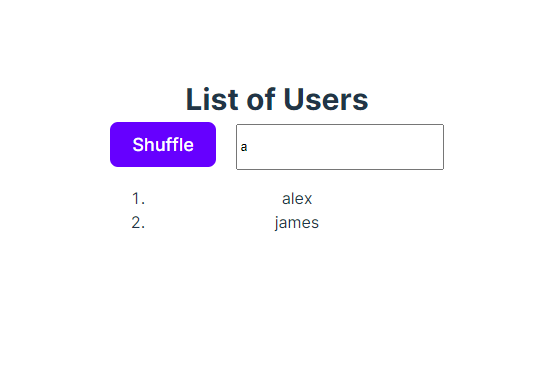
In the above Example. We have the User and SearchInput components and the SearchInput component is the child component of the Users.memo is used to skip re-rendering SearchInputwhen its props are unchanged.
Let’s see without useCallback() a scenario.
1. Whenever the user clicks on the Shuffle button there is a change in the users state then the components re-render and the SearchInput also renders
2. Also we are wrapping SearchInput component with memo() to avoid unnecessary renders but still SearchInput re-render because wherever there is a change in any props in the User the function will create fresh in the dom again so to avoid this we can use the useCallback() .
Let’s see useCallback() a scenario.Whenever the user clicks on the Shuffle button there is a change in the users state then the User component re-render but SearchInput will not render because there is no change in the previous handleSearch function and current handleSearch because we have added the useCallback() .so it will memorize this function in the memory when there is any change in this function then that will be memorized in the memory or else it will remain the same as the previous function. This will improve the performance of the project.
4. useRef()
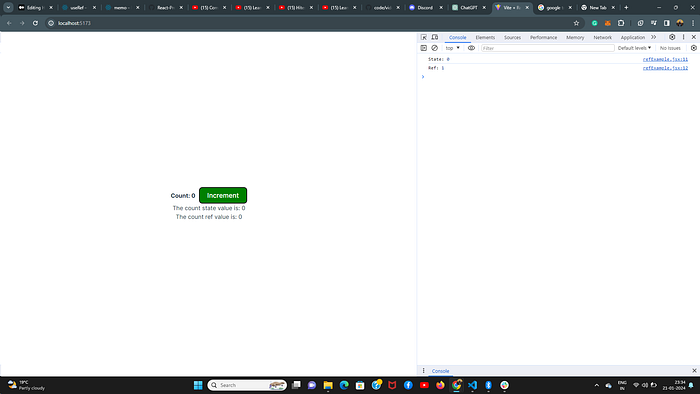
useRef() is a React Hook that lets you reference a value that’s not needed for rendering. Unlike state ref does not trigger the re-render of the component because React is not aware of when you change it because a ref is a plain JavaScript object.
1. refs are not used to read any value in the JSX because whenever there is a change in the ref value the updated value is not reflected in UI because react will not re-render the component when change in the ref value.
Let see with an Example.
import { useRef, useState } from 'react';

export default function RefExample() {
 const [count, setCount] = useState(0);
 const countRef = useRef(0);

 const handleIncrement = () => {
  //setCount(count + 1);
  countRef.current++;

  console.log('State:', count); // 0
  console.log('Ref:', countRef.current); // 1
 };

 return (
  <div className='tutorial'>
   <b> Count: {count}</b>
   <button
    style={{
     marginLeft: '10px',
     backgroundColor: 'green',
     color: 'white',
     fontSize: '18px',
    }}
    onClick={handleIncrement}>
    Increment
   </button>
   <div>{`The count state value is:  ${count}`}</div>
   <div>{`The count ref value is: ${countRef.current}`}</div>
  </div>
 );
}
Output
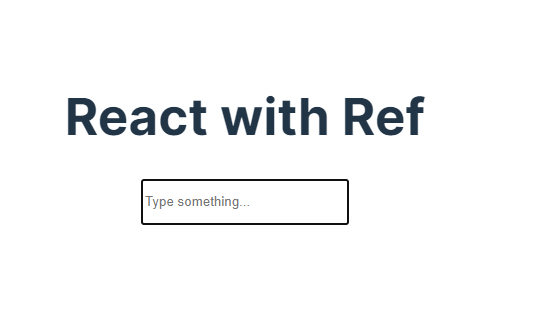
2. ref is mostly used when we want to directly access the HTML dom elements and functions on those elements.
import { useEffect, useRef } from 'react';

export function RefExample2() {
 const inputRef = useRef(null);

 useEffect(() => {
  inputRef.current?.focus();
 }, []);

 return (
  <div className='tutorial'>
   <h1>React with Ref</h1>
   <input
    style={{ width: '200px', height: '40px' }}
    ref={inputRef}
    type='text'
    placeholder='Type something...'
   />
  </div>
 );
}
5.useId()
useId() is a React Hook for generating unique IDs that can be passed to accessibility attributes.useId() does not take any parameters.useId returns a unique ID string associated with this particular useId call in this particular component.useId() should not be used to generate keys in a list.
import { useId } from 'react';

function PasswordField() {
  const passwordHintId = useId();
}
Takeaways
I hope you learned something from this (long) post and felt at least a bit more confident about working with hooks. Please reach out to me with any feedback as I’m sure there are things I have overlooked or could have explained better. Stay tuned for Part [II] of the React hooks for building and understanding in-depth about Hooks in the React Thank you!.


